
Guest Post: The Value of Metadata
03.06.2024 | 9 min ReadCategory: Data Strategy | Tags: #data platform, #dataops, #finops, #metadata
Learn more about metadata, what types of metadata exist, and how it can be a powerful tool for delivering increased value from data, faster!
The Value of Data - Does It Decrease the More You Have?
It is obvious that data provides value for companies that know how to leverage it. For some companies, especially within subscription-driven industries with a higher degree of commoditisation (mobile, broadband, etc.), utilising and understanding data is absolutely critical for extracting the necessary margins, controlling churn, and understanding which customers are at risk of switching to a competitor. But this is the way it has always been in these industries; the only difference is that the models have moved from Excel to the cloud (a definite improvement, to be fair).
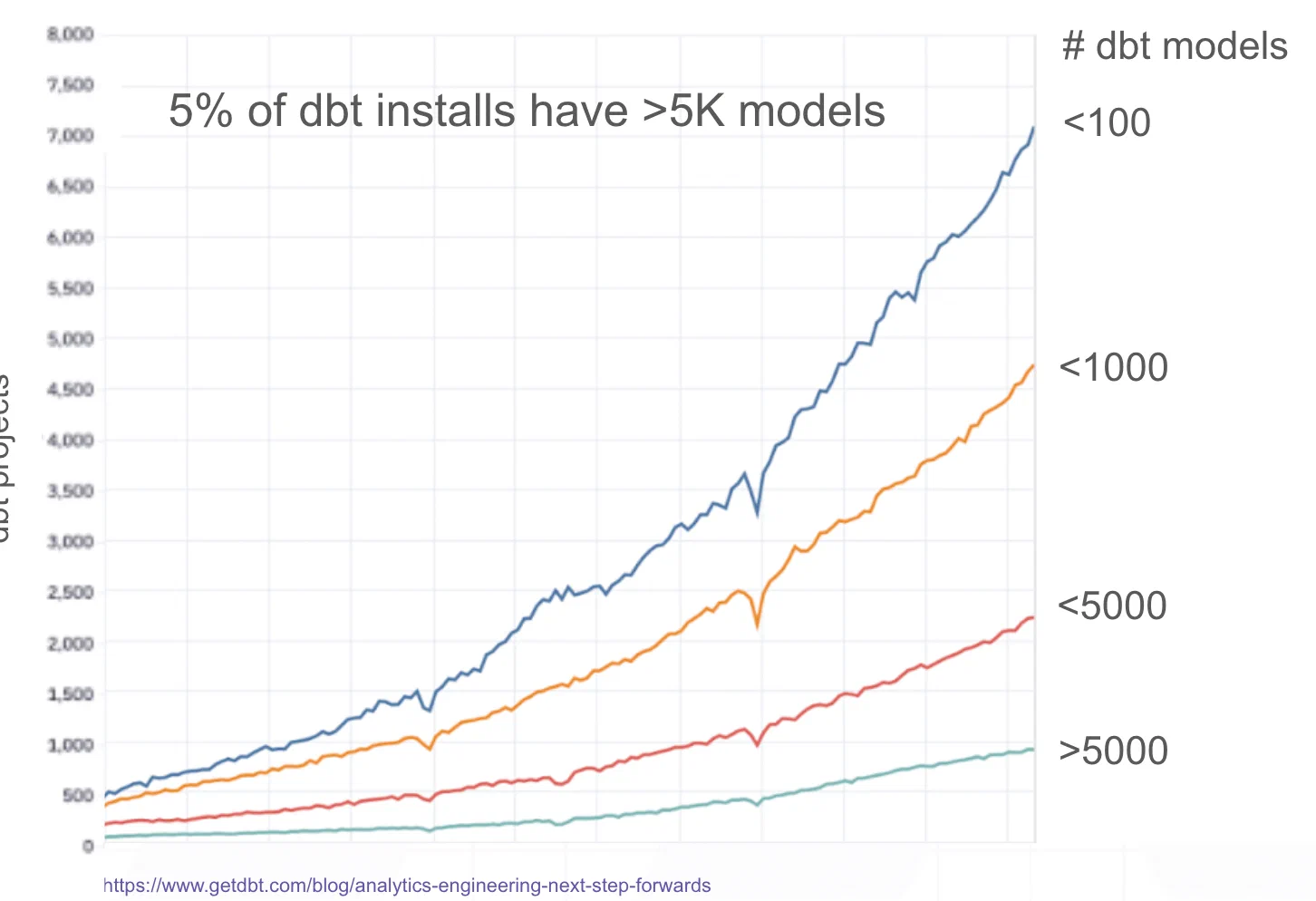
For all other companies, it is also the case that moving to the cloud and becoming data-driven has many advantages. In recent years, many platforms and, not least, tools have emerged that make it very easy to get started. Unfortunately, some might say. Because it is also much faster to build poor and expensive things. With frameworks like dbt, everyone is suddenly a data engineer – but without an understanding of fundamental principles like modelling and normalisation.
Too Much Data?
There is simply too much data available, without the necessary curation. It does not help to slap a catalogue with search on top if there are 10 tables called “customer”. If you do not have control over the data, definitions, and quality, there are consequences:
- Compliance/privacy becomes challenging without control over where data flows and is exposed
- Reduced “time to insight” and lost business opportunities
- Lack of clear definitions of key concepts and metrics for the company
- Lack of trust in available data leads to increased use of Excel and “custom models”, which in turn leads to a vicious cycle of unclear definitions and metrics since data is spread everywhere
- Lack of trust undermines any attempt to build a data culture, regardless of whether you opt for a centralised model or a distributed one (data mesh, etc.)
- It becomes difficult to leverage AI strategically, since the aforementioned points are prerequisites for succeeding with AI (beyond chatbots that nobody likes anyway)
Data as a Product?
So, data quality is not just about adding tests to all the tables (with dbt, that is easy enough). No, that would primarily just become very expensive. In the same way, being data-driven is not just about quality-assuring and making data available. If we draw a parallel to products and try to define what a product is, it would be something like “something that delivers some form of value to someone”. Good product teams understand that to deliver value, you must understand what is valuable to the user through continuous qualitative and quantitative analysis of the users, and not least how the product is being used and in what context.
If you imagine that data teams build data products, it is often striking how disconnected they are from the rest of the company, and from the company’s products and customers. In addition to this – and now we arrive at the most positive aspect – there are already volumes of data about the data available, or metadata if you will. This metadata can tell those who work with data a great deal about how data is being used, by whom, and can even provide a better understanding of friction points and situations that create frustration for those on the “other side”. Unfortunately, metadata is often left neglected! My hope with this article is that you can take away some tips and tricks that may be relevant to your situation.
What is Metadata?
We can broadly divide metadata into the following categories:
Basic metadata
- Static
- Data warehouse: Databases, schemas, tables, columns, reports
- Reporting: Dashboards, visualisations, etc.
- Dynamic
- History and logs from queries and dbt runs, etc.
Derived and enriched metadata
- Processed and structured logs to uncover
- Data lineage internally and between systems (e.g. Snowflake to PowerBI)
- Access (which tables and columns are being accessed)
- How systems in the data environment interact with each other (e.g. which queries are manual vs from PowerBI or dbt)
- Patterns in the data warehouse (e.g. what is the typical refresh frequency for a given table)
- Locating problematic queries in terms of cost/runtime
- Aggregates
- Costs
- Runtime
- Storage
What Problems Can Metadata Solve?
If we go back to the problems discussed earlier, you can begin to see a light at the end of the tunnel! There is already a great deal that can be done with metadata to improve data quality, remove noise, and be more proactive.
Adoption and Use of Data Products
If we view tables and reports as data products (somewhat simplified), a data team can use aggregated and derived metadata to understand who is using what, and how it is being used. This can in turn be used to prioritise which tasks should be done (for example, a report used by many takes a long time to load and is expensive. Based on the data sources, you can set up an aggregate so you avoid combining many tables “on the fly” – which will reduce runtime and lower costs, as well as provide a better experience for end users – a win-win).
Be Proactive - A Forward-Looking Approach to Changes / Migrations
By understanding data lineage and data usage, you can predict how changes will affect existing processes (for example, dbt models that depend on another model you want to modify), and systems such as PowerBI. Another important point is that you can also understand which users will be affected, making it easier for the data team to communicate proactively about “downtime” or changes that will require adjustments on the user side. Sometimes changes are necessary, but it is much less stressful to own the communication rather than trying to control a situation where something has gone wrong.
Removing Unused Data and Unnecessary Processing
Tables that are never used
- By finding tables that are never used, you can delete them and save storage costs as well as avoid compliance/GDPR issues related to lawful use of data.
Jobs that create tables that are never used
- As a rule, unused tables that are not the product of ad-hoc analysis (which should be done in a schema that automatically deletes data after e.g. 7 days) are produced at a certain frequency. If the tables are not being used, it logically follows that the job producing the table is also unnecessary and can be stopped.
Unnecessary processing
- There is a lot of talk about real-time, but in most cases it is sufficient to update data at a frequency so that yesterday’s data is available. It is obvious that running at a frequency of once per hour versus once per day (every 24 hours) – i.e. 24 times as many jobs – will make an enormous difference in cost. If you are not entirely sure what this looks like in your company, you can for example look at the access pattern of a table to understand during which time period it is used and adjust the refresh rate. Typical easy optimisations here also include skipping runs on weekends and public holidays, when people typically are not at work anyway. By going from 7 to 5 days per week of data runs, you suddenly have a saving of approximately 28%. If a high refresh rate (once per hour or more) is actually necessary, you can limit updates to within normal working hours. Let us say between 8:00-16:00, which is a saving of 16 hours per day, or 66%.
Alerts
Here are some examples of alerts that can be set up based on metadata:
- Late data (the dbt model used to be updated every 24 hours, but now 30 hours have passed – the data is outdated and this must be communicated to the company)
- Changes in runtime (a dbt model suddenly took 3 hours to run compared to its usual time of 1 hour)
- Changes in volume (a dbt model grew by 1.5M rows vs the usual growth of 100k)
- Changes in cost (a dbt model suddenly became twice as expensive)
- Changes in access patterns (a user who normally uses a few datasets suddenly begins accessing a large number of seemingly unrelated data. Perhaps something is wrong?)
Finding Duplicate Derived Tables etc.
By analysing data lineage, you can find duplicate tables and definitions. Since customer data must necessarily be built from the same source data, you can start at one end and analyse how the data flows through different tables/dbt models. It then often quickly becomes clear that multiple models are modelling the same definitions and metrics, and you can make the necessary changes. NB: Remember to follow the advice above so that you can notify the relevant users and understand the ripple effects to other systems and processes!
PII Tracking and Compliance
By analysing data lineage from end to end, data teams can quickly gain an overview of sensitive data and where it flows within a data environment. This is especially important if you operate in a model where many people have access to data out of necessity, for example for customer support, etc. The best approach is of course to restrict access as much as possible from the start, but for various reasons this can be difficult.
In Closing
When all is said and done, being data-driven is about culture and people. The intention is not to claim that metadata is the solution to all these problems – quite the contrary. But by leveraging metadata as mentioned above, data teams can themselves become more data-driven when it comes to development, prioritisation, and communication with the rest of the organisation – a prerequisite for success. Good luck!
Want to Learn More?
Feel free to also listen to the podcast “Datautforskerne” (The Data Explorers), episode 3, where Martin Sahlen and Magne Bakkeli talk about metadata. The episode is available on Spotify, Apple, and Acast.
Like and subscribe!